Readable activity summaries
Get short descriptions of camera events so you can understand the activity before reviewing the associated images.
Turn your compatible Windows PC into an AI camera analysis system. Connect your RTSP cameras, analyze activity on your own hardware, and review what happened through the Sparrow portal.
Explore the Sparrow desktop interface. Select either screenshot to view it at full size.
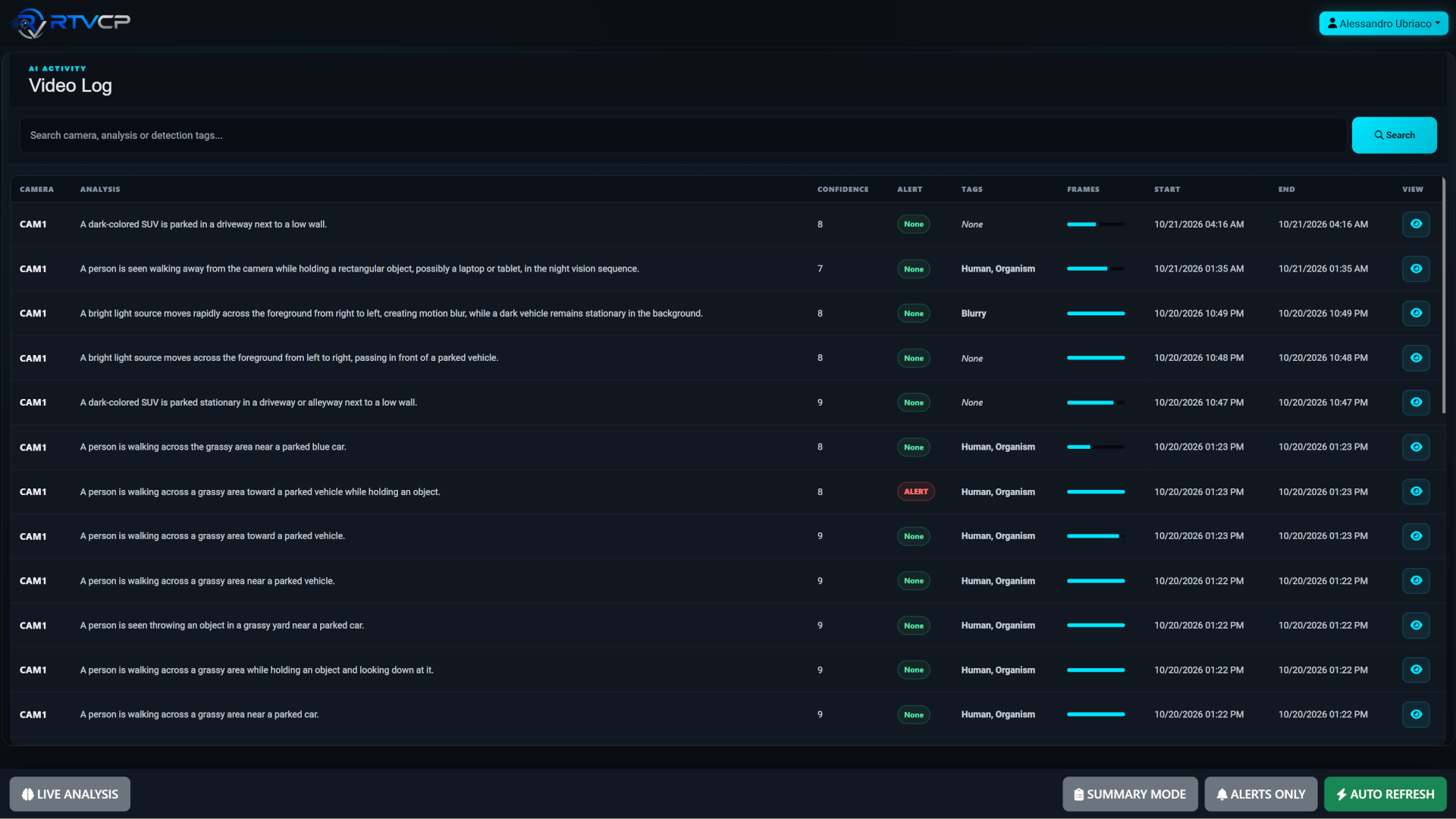
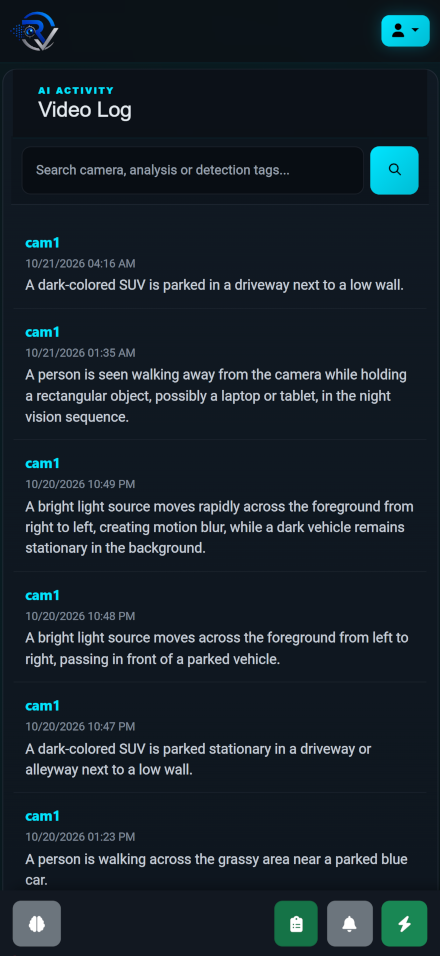
Sparrow analyzes motion- or activity-triggered events and produces concise descriptions to help you decide what needs a closer look.
Get short descriptions of camera events so you can understand the activity before reviewing the associated images.
Use AI-generated alert flags to help identify suspicious or unusual activity for human review.
Configure email notifications for alerts so you can stay informed without watching the portal continuously.
AI descriptions and alert flags can be inaccurate. Verify significant events against the camera evidence before taking action.
Self-Hosted puts the analysis workload on your own computer. Choose hardware and storage to match your camera activity, then manage the installation as part of your environment.
Start with RTVCP Deploy and follow the discovery, licensing, and installation workflow.
View system requirementsA compatible Windows x64 PC with an NVIDIA GPU, sufficient dedicated VRAM, system memory, and SSD storage. See the current system requirements and contact us for workload-specific sizing.
If your recorder exposes compatible RTSP streams and the host can access them, you can review those streams during discovery. Each recorder’s channel paths and authentication settings may differ.
Capacity depends on hardware, stream resolution, event frequency, and model settings. Camera count alone does not determine the analysis workload. Share your intended setup with us for sizing assistance.
Sparrow adds an AI event-analysis workflow. Keep your existing recording system when you need continuous video recording and its associated retention features.
Visit troubleshooting for operating system, architecture, memory, storage, GPU, local port, and Windows service checks. You can also contact RTVCP support.
Start with your cameras and build a Self-Hosted installation around your needs.
Questions? info@rtvcp.com